Contracts, eSignature and real-time collaboration - all in one secure platform, built for small business and powered by AI.
Legal documents
eSignatures
Team collaborators
Download formats
what's included
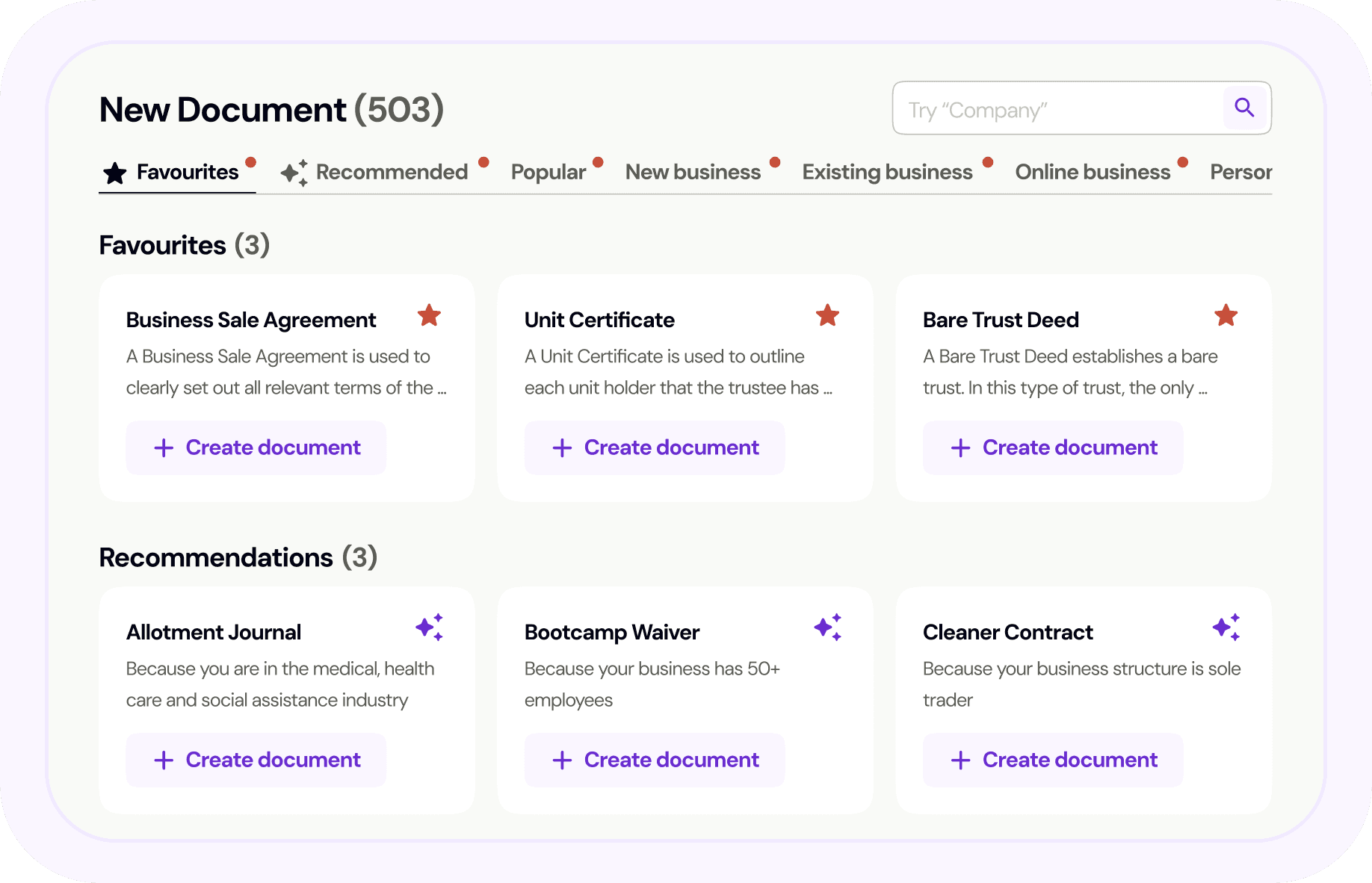
550+ lawyer-drafted documents covering compliance, employment, service agreements, IP and more!
Three signing options; Self sign, eSignature (up to 15 parties) and Templates. Track status, send reminder. Legally binding under the Electronic Transactions Act.
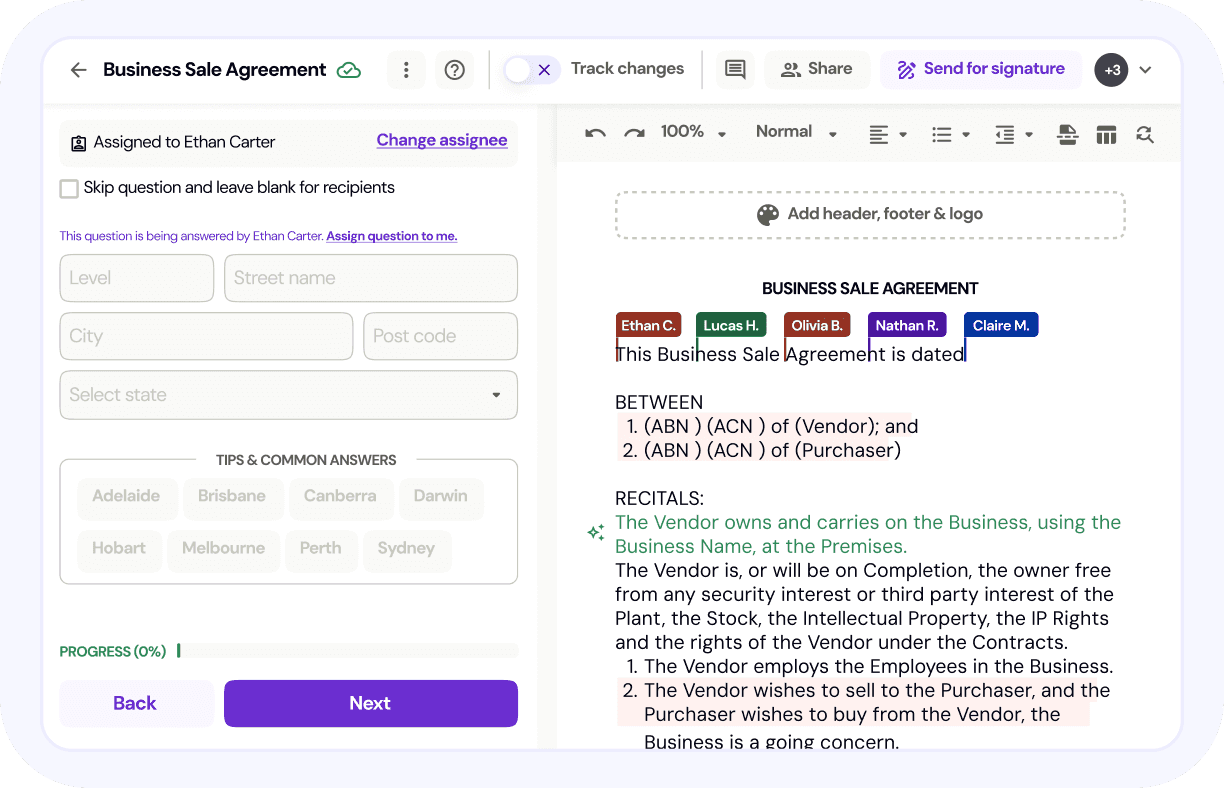
Collaborate on documents with team members. Invite shareholders, officeholders and advisors. Essentials plan include up to 3 team members.
Automated workflows guide you through key business processes while ensuring you meet your legal obligations at every stage. Receive tailored document recommendations and clear steps.
Lawpath AI helps you find the right document, draft custom clauses and receive powerful insights and suggestions
Add your logo, business details and branding to every document. Download in PDF or Word format.
How it works
Find your document
Search 550+ documents or let AI recommend the right one for your business needs.
Customise and collaborate
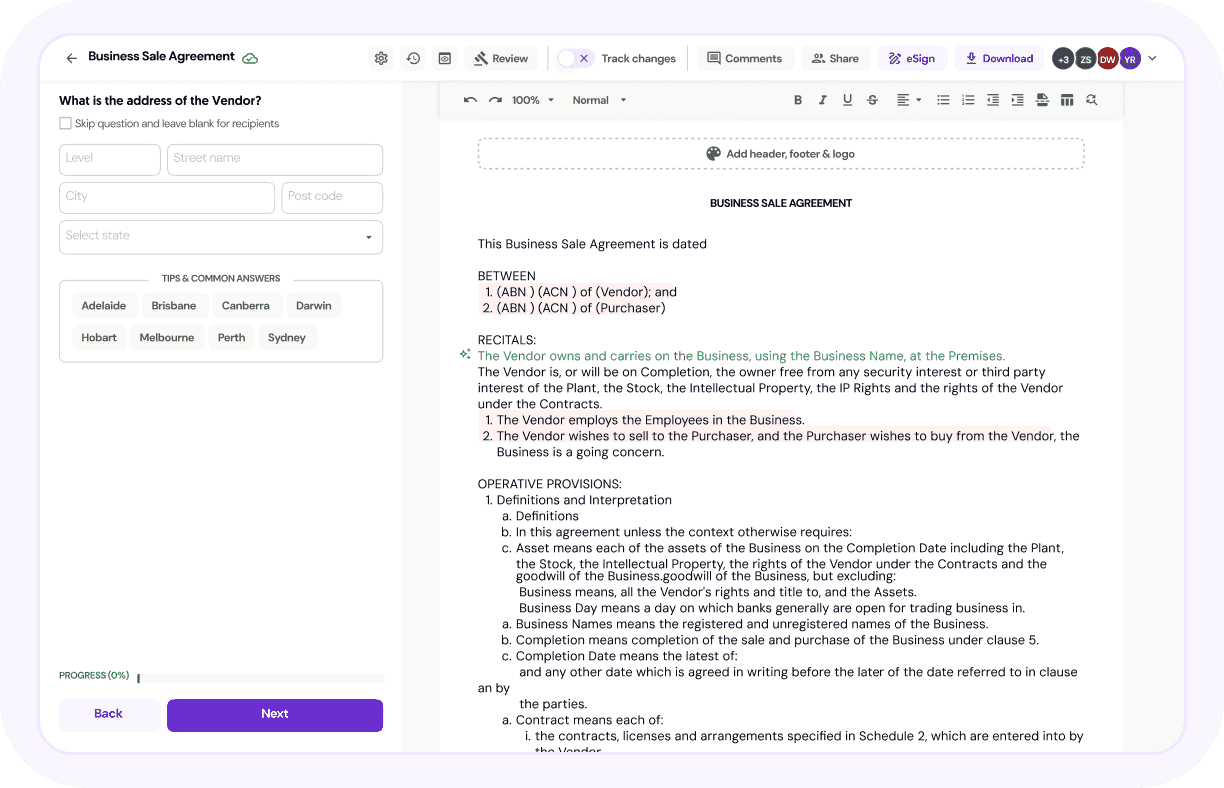
Answer simple questions, add you rebranding, modify clauses and collaborate with team members.
Sign and send
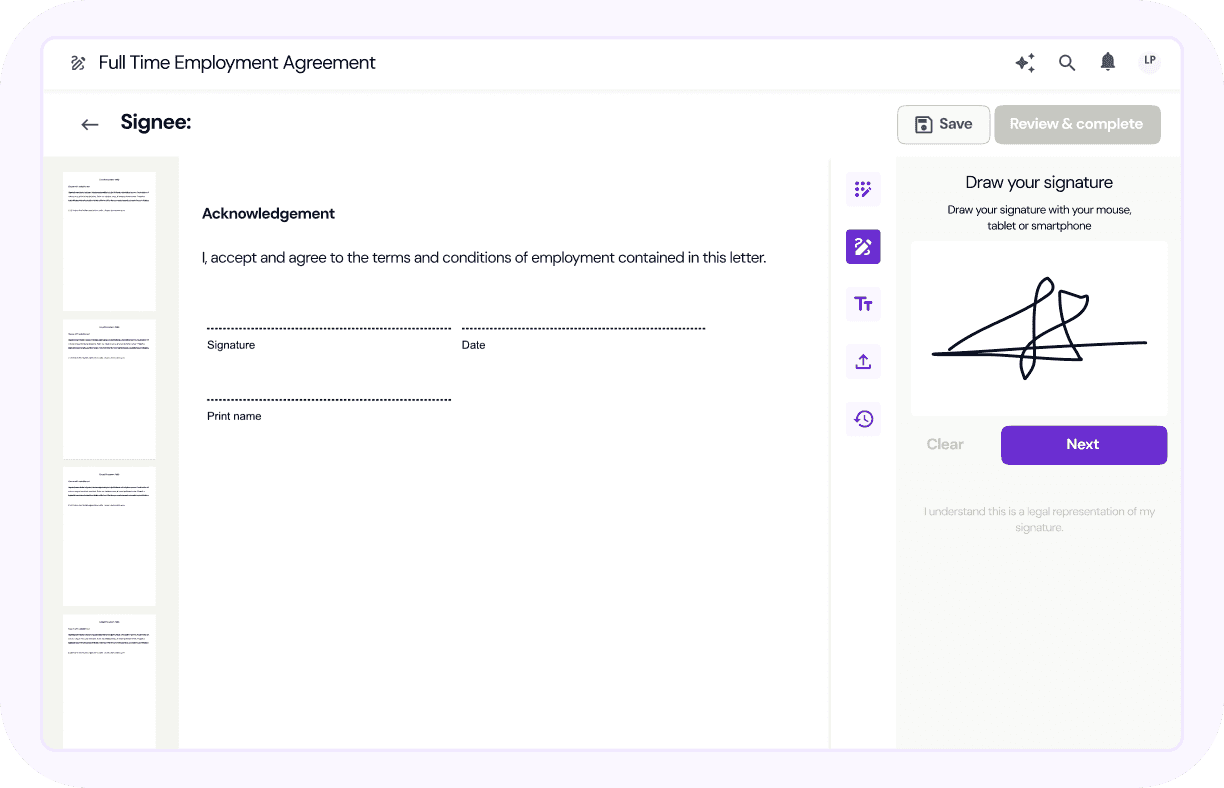
eSign yourself or send up to 15 parties for signature. Track status in real-time.
Deep dives
Customer stories
Build documents, collaborate with your team, send for signature - all from one beautiful platform
Lawpath Contract Management is a built-in platform feature that allows you to create, customise, sign and manage legally binding documents in one place. You can collaborate in real time, refine clauses with Lawpath AI and keep everything organised from draft to signed.
You can create your first document for free with limited functionality. For full customisation, AI-assisted editing, collaboration and ongoing document management, you’ll need to upgrade to the Essentials Plan.
Yes. Lawpath removes the usual bottlenecks – from version confusion to chasing approvals – so you and your team can build, store, sign and share documents efficiently.
With built-in AI assistance, you can refine clauses and adapt wording quickly, helping you move from draft to signed without unnecessary back-and-forth.
Yes. You can create documents from our 550+ template library, collaborate on inputs, edit clauses with AI support, request signatures and securely store completed agreements – all within the Lawpath platform.
From first draft to final signature, it’s handled.
Lawpath AI helps you customise documents faster and with greater clarity. It can suggest wording improvements, help refine clauses and adapt templates to better suit your situation.
AI assistance is built into the workflow, so you stay in control while moving through documents more efficiently.
Most documents can be signed electronically. However, some exceptions apply under Australian law, including certain migration and citizenship documents, wills, powers of attorney and specific real estate transactions.
If a document can be eSigned, you’ll see the “eSign with Lawpath” option clearly displayed.
Yes. You can upload your own documents in A4-sized PDF format for use with the eSignature feature.
If your document is in Word format, simply convert it to a PDF before uploading.
A4 size specification:
Width: 595px (max. 630px)
Height: 842px
Yes. You can invite up to 15 participants to eSign a single document and enable witness mode where required.
Yes. You can track signatures in real time, send automatic reminders and access a full audit trail for every signed document.
Yes. Our eSignature feature is designed to comply with the Electronic Transactions Act 1999 (Cth) and applicable state and territory legislation.
Each signed document includes a secure audit trail to support enforceability.
Yes. Lawpath eSignature works across desktop, tablet and mobile devices, so you can send and sign documents wherever you are.
You can choose from three standard signature fonts and type your name instead. Typed signatures have the same legal effect as a drawn signature.
Yes. You can update your eSigning name at any time by entering your correct name and choosing whether to draw or type your signature.
Free accounts can eSign one document at no cost. On paid plans, you can create and send as many eSignatures as you need.
Yes. Enter the signer’s name and email address, place the required signature fields in the document and send. They’ll receive an email prompting them to review and sign.
If you are on the Essentials Plan or Legal Advice Plan (before 1 July 2025), you can add up to three team members to collaborate on documents and access shared information.
Yes. Team members can create, review and edit documents together in real time, ensuring everyone works from the latest version without version conflicts or email chains.
Yes. You can securely share documents with external parties such as accountants, lawyers or shareholders to review, comment or sign – while maintaining control over access and permissions.
Your documents are stored securely within the Lawpath platform using encrypted infrastructure. We use ISO 27001-certified data centres and follow Australian data privacy laws to protect your information.
Only users you grant access to can view or edit your documents. You control permissions at every stage, including who can view, comment, edit or sign.
Yes. All signed documents are securely stored within your account and include a detailed audit trail showing timestamps, signers and document activity.
Yes. Your signature and personal information are encrypted and securely stored within your account. It is only applied to documents you choose to sign.